
 Skip to content



PARCELE SUAS COMPRAS NAS MELHORES BANDEIRAS
Guaranteed Purchase: Você tem até 30 dias de Garantia
Free Exchange: Você tem até 7 dias para testar o produto
-
14
Pedidos entregues nos últimos 60 dias
-
Presta bom atendimento
-
Entrega os produtos dentro do prazo
Description
SPECIFICATIONS
Aux output: 2 TS aux output mixing console
Bluetooth Function: Bluetooth mixing console
Brand Name: LOMEHO
Certification: CE
Channels: 4 channels (2 mono + 1 stereo) mixing console
DSP Effects: 320 Effects mixing console
Hign-concerned Chemical: None
Model Number: AM-AKS3
Origin: Mainland China
Phantom Power: Individual 48V mixing console
Type: Mixers
USB Port: U-disk recording/Playback
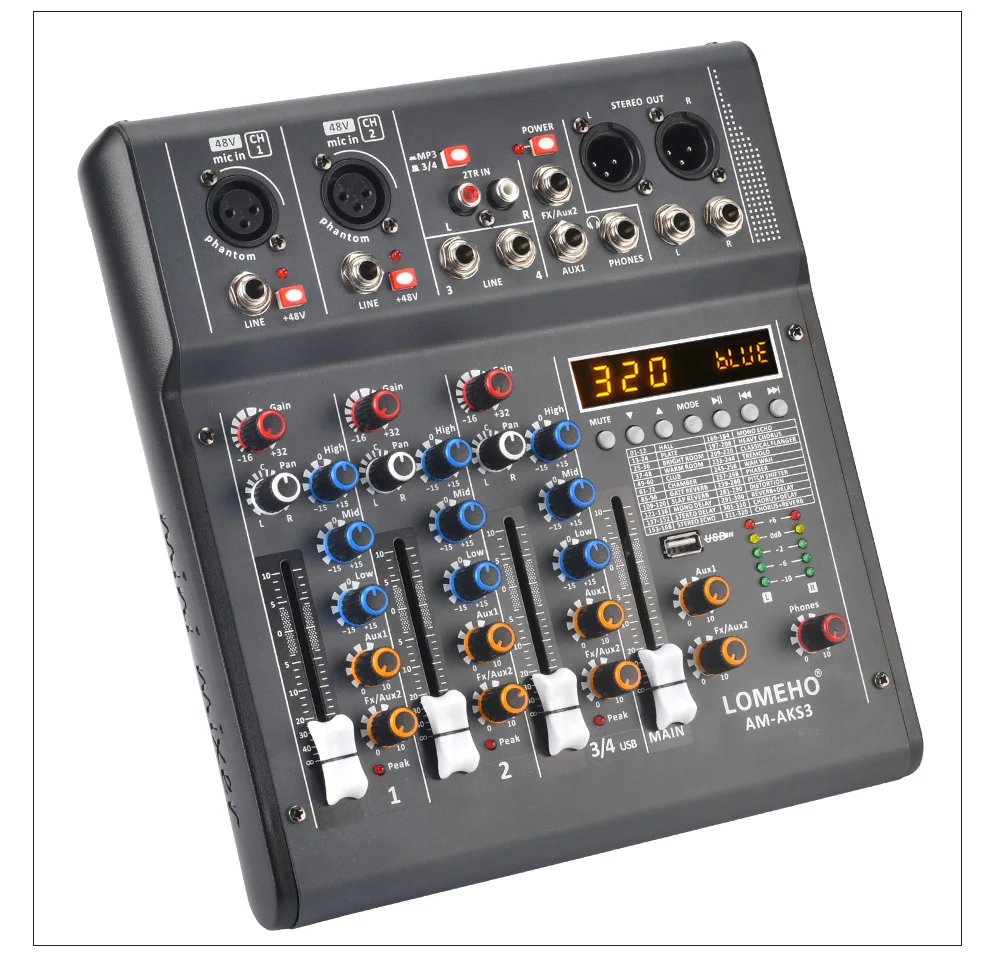
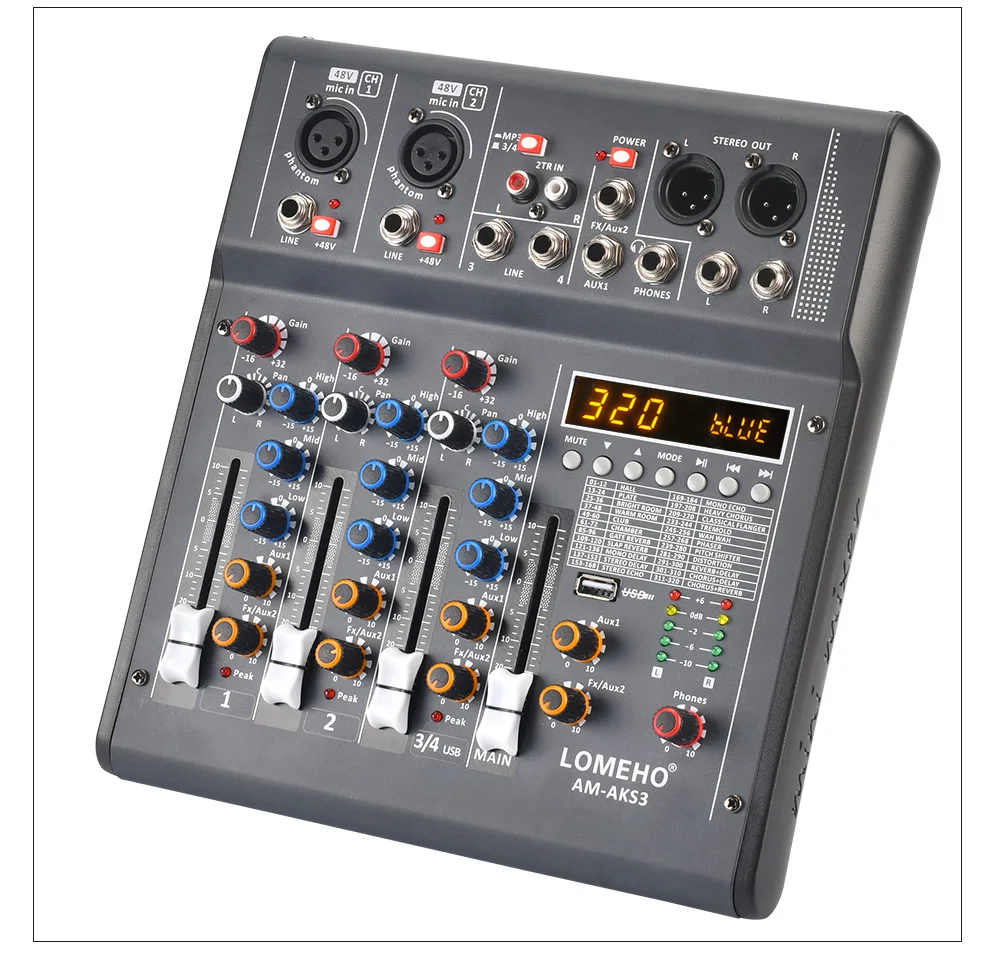
LOMEHO AM-AKS3
4 channels 320 dsp effects audio mixer usb bluetooth playback recording separately 48V phantom power mixing console for home party, karaoke, meeting, ect.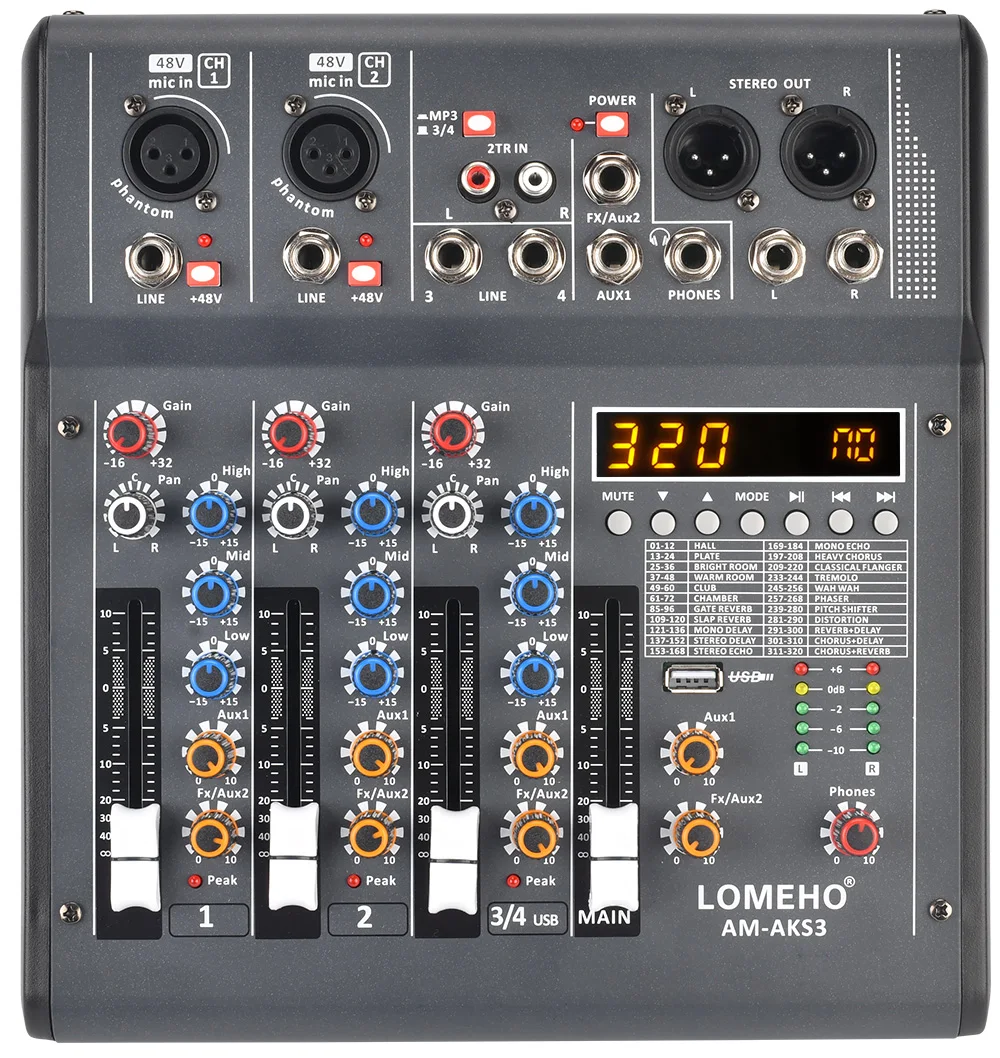
Selling Point
1. 4 channels (2 mono + 1 stereo)
2. 320 DSP Effects
3. 2 AUX output
4. Individual 48V phantom power (Only for CH1&CH2)
5. Bluetooth function
6. U-disk record&play
Power Supply
1. Working Power: DC 5V 2A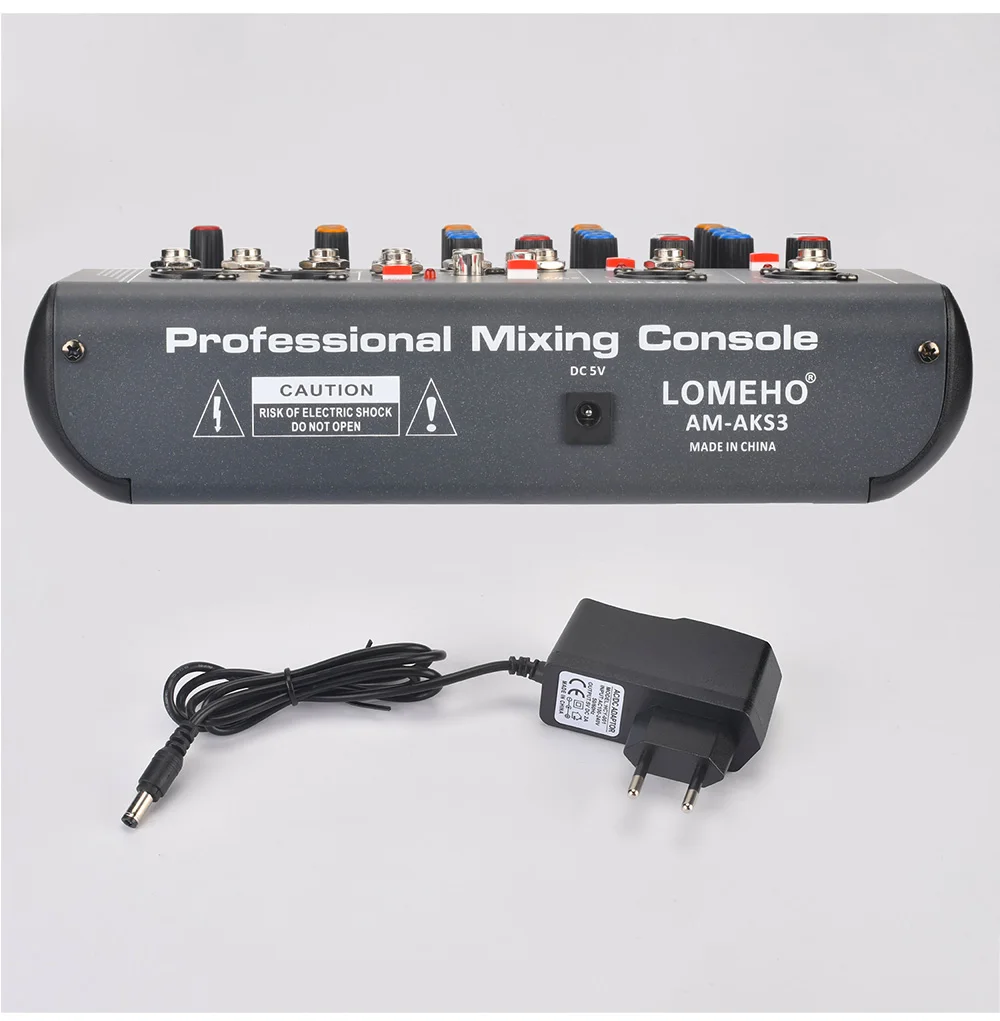
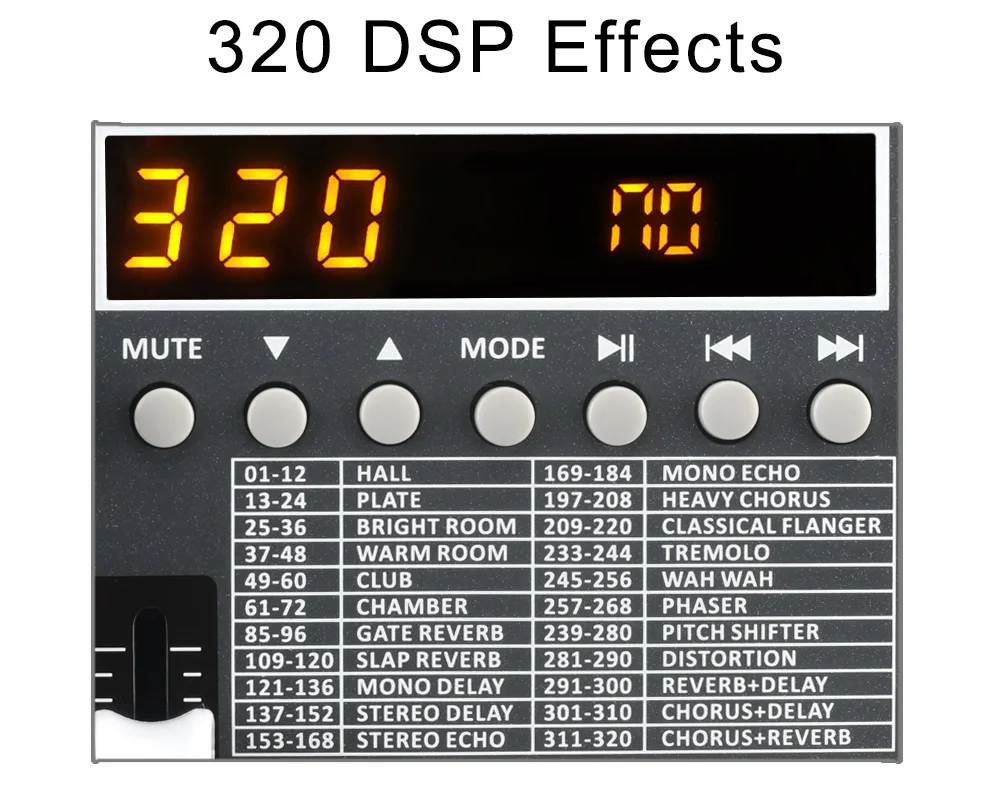
320 DSP Effects
(1) Choose effects
A) Press the Up/Down button to the number of the effect you want,then the selected effect will be determined automatically.
(2) Output the effect
A) Rotate the Fx/Aux2 knob of channel
B) Rotate master Fx/Aux2 knob.
C) Push the MAIN output fader.
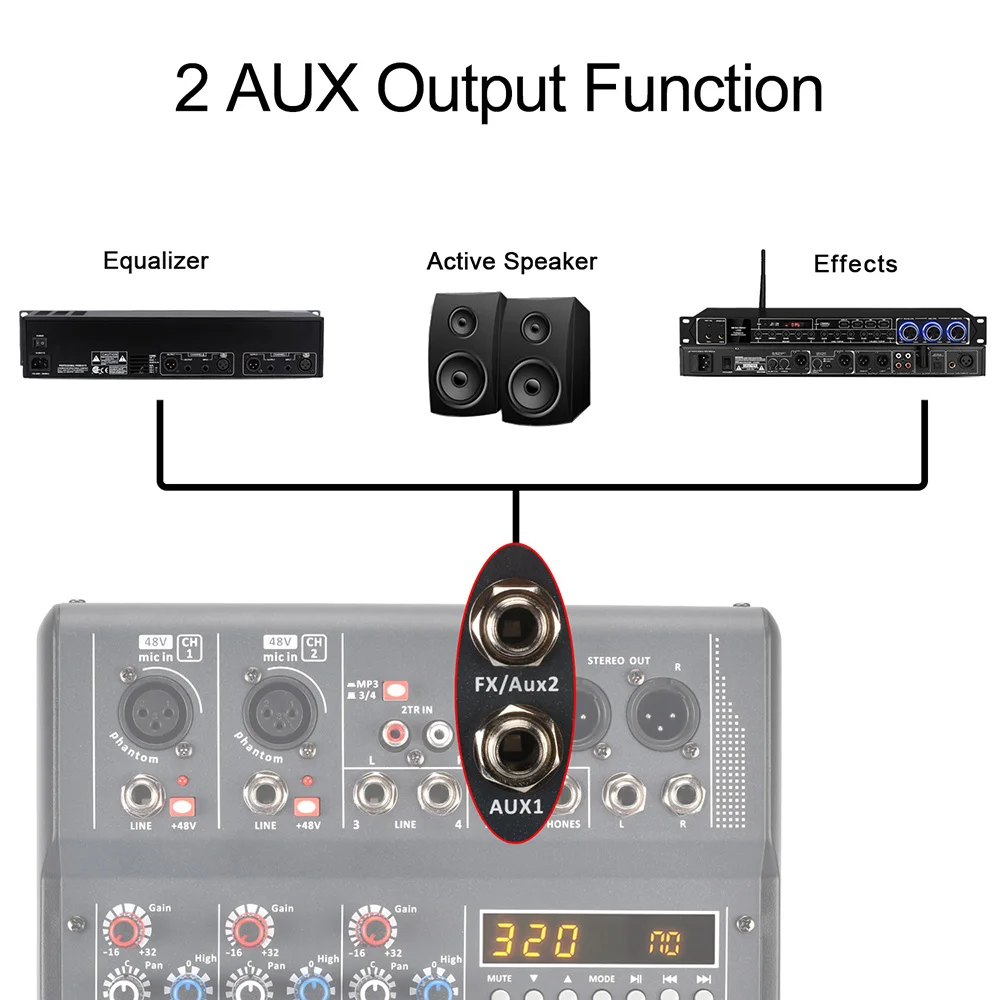
2 AUX Output
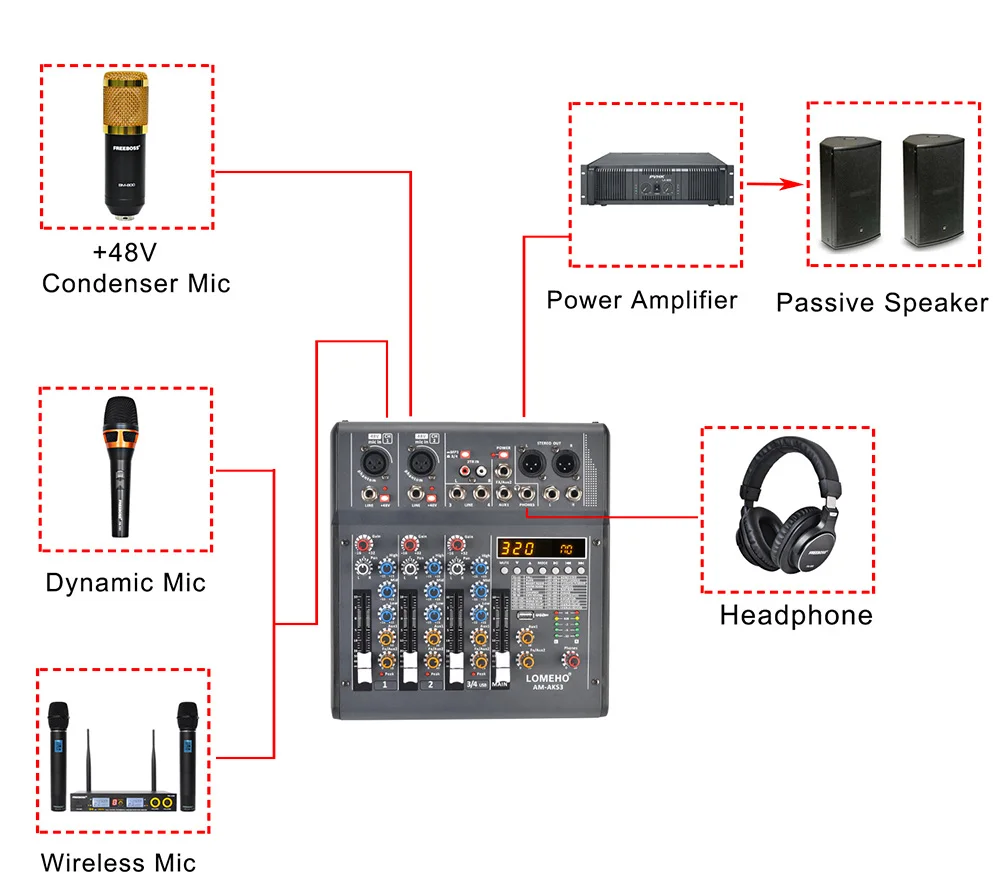
It can connect the equalizer, effector, active speaker, etc.
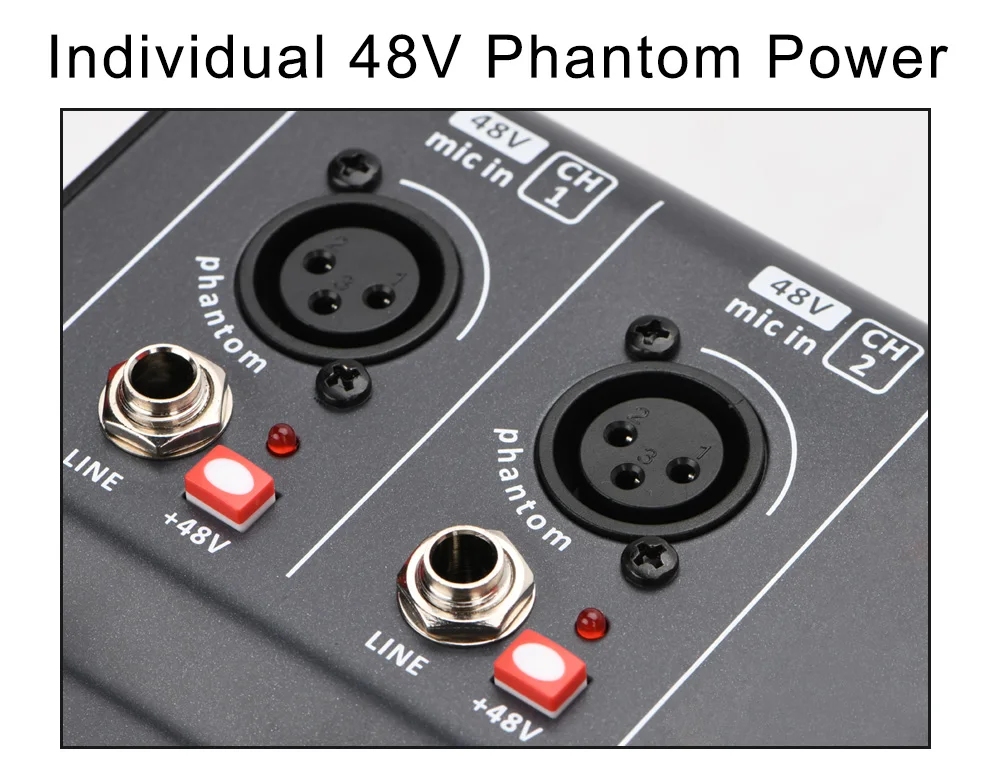
Individual 48V Phantom Power
(1) Press down "+48V" button, LED light is on, +48V phantom power works.
(2) +48V phantom power is only for XLR socket,not for 6.3 socket.
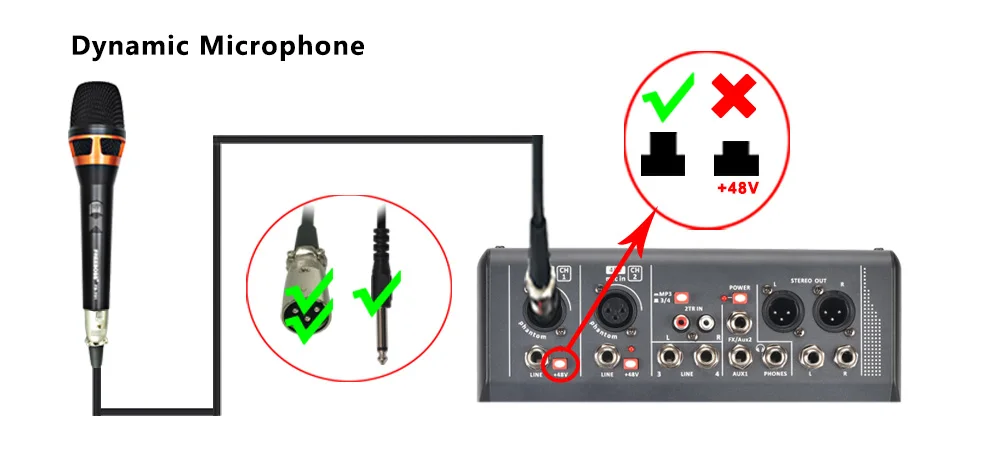
Dynamic Microphone
When you connect dynamic microphone to audio mixer with XLR cable, please don't power on +48V phantom power.
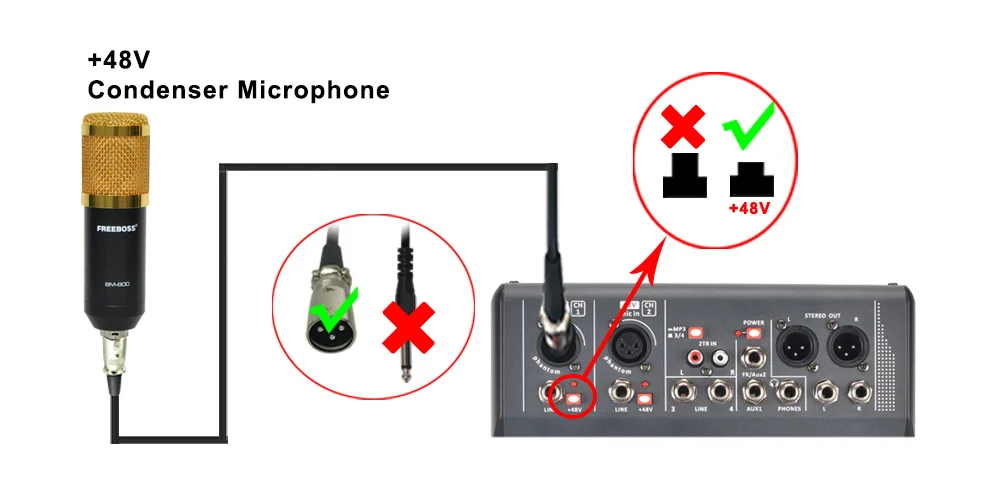
Condenser Microphone
If your microphone is +48V condenser microphone, please connect it to mixer via XLR cable, and power on +48V phantom power.
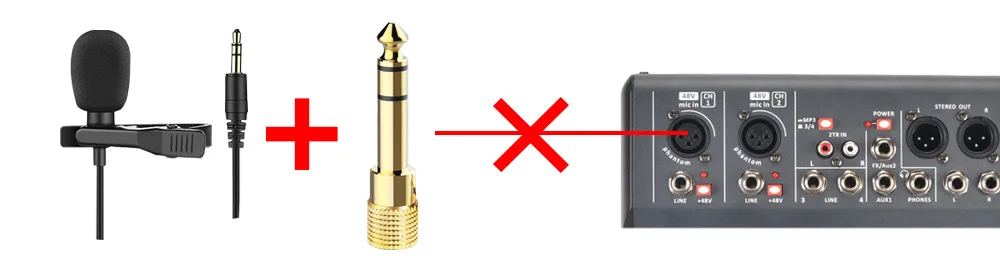
Please note:
For this model, it does not support non-48V condenser microphone. (such as 3.5mm plug condenser computer microphone)
Bluetooth -Compatibility
1. Volume adjustment
1) Press down the MP3/ST3-4 button
2) Push 3/4 USB fader, adjust the channel volume to main out
3) Adjust MAIN output fader
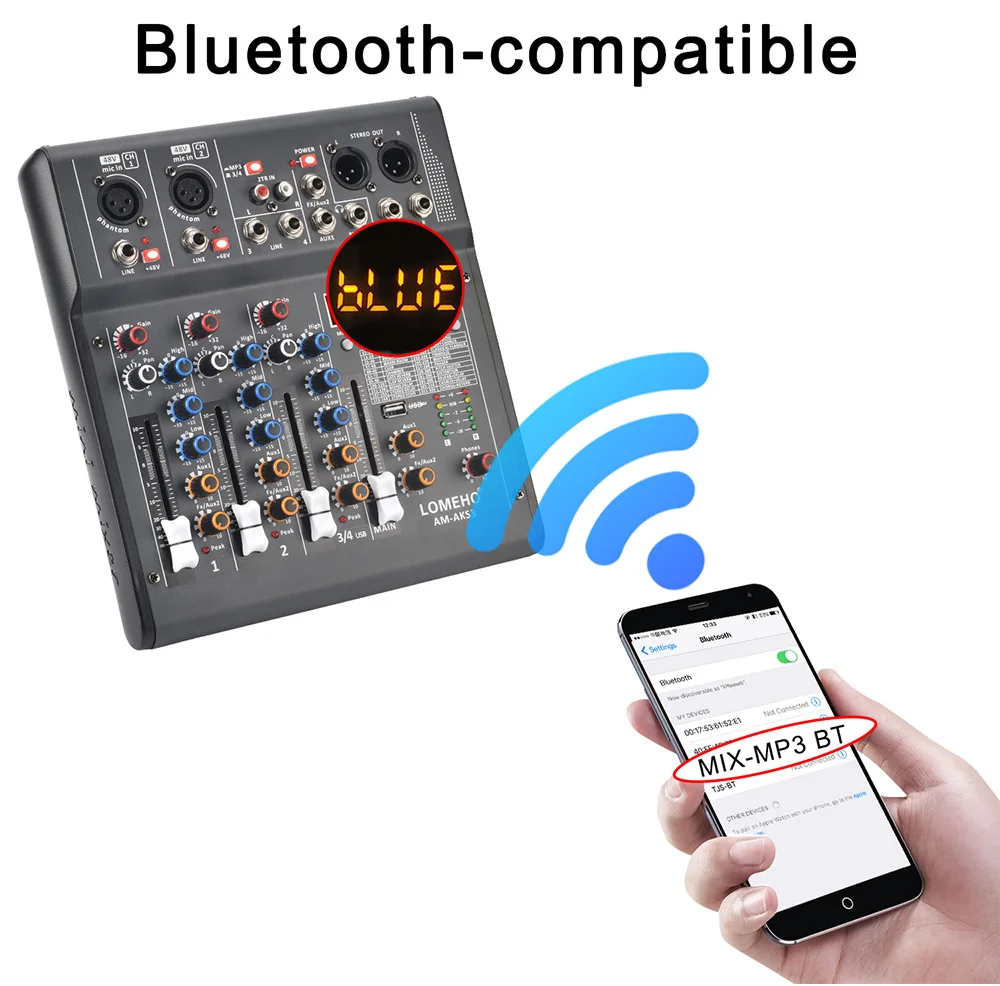
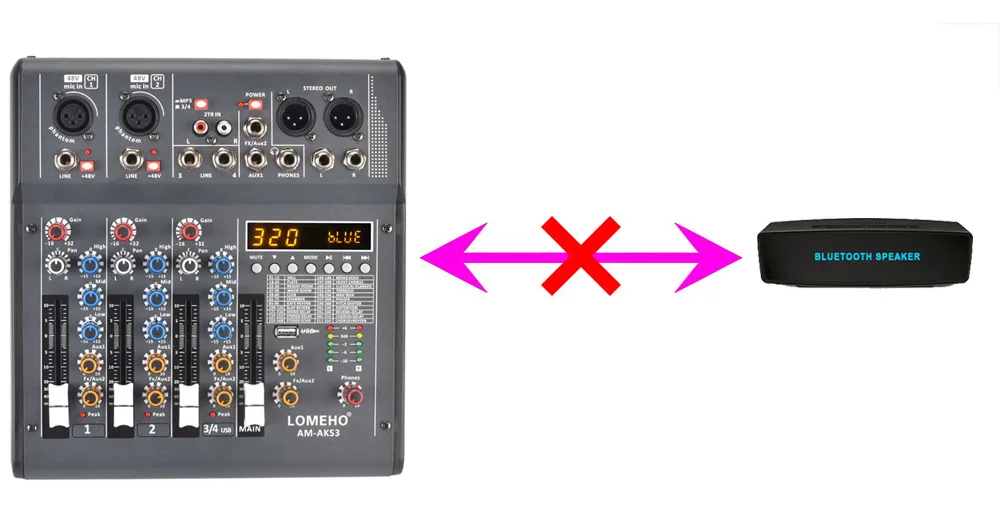
2. The mixer is receiver,it can't connect to another bluetooth receiving devices, such as bluetooth speaker.
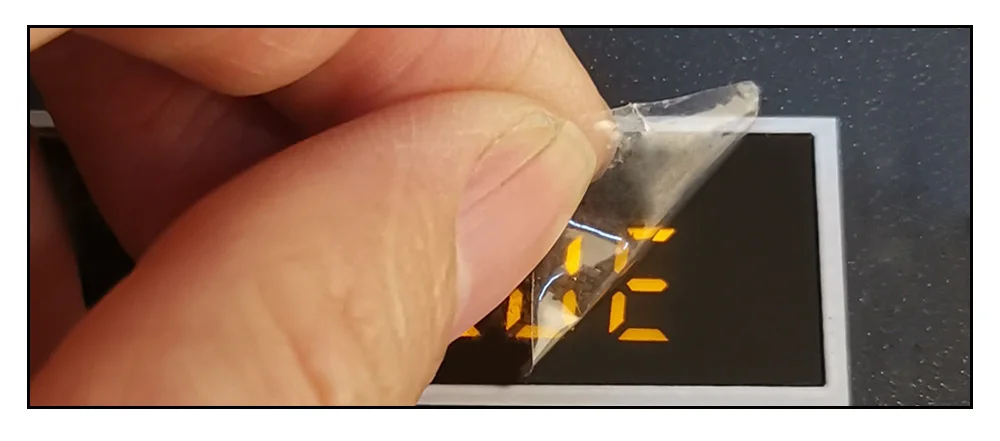
Protective film on the display
There is a protective film on the display to prevent the display from being scratched. If the protective film is not clear,please tear off the protective film.
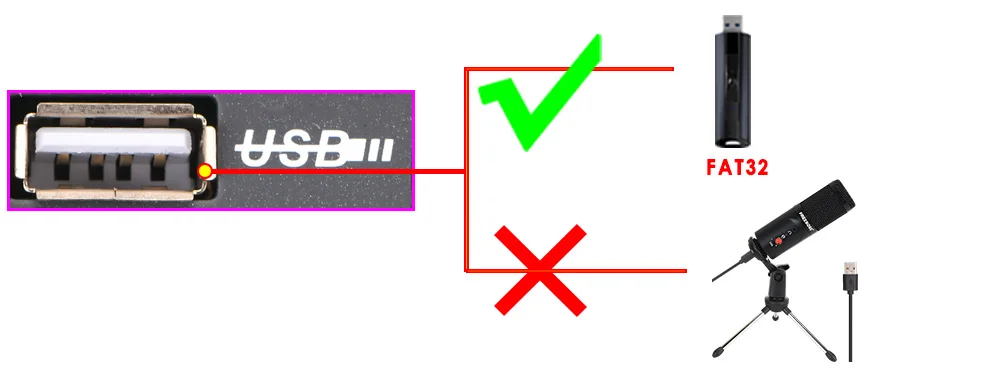
USB Port Application
USB port is not for USB microphone, you can't connect USB microphone to audio mixer.
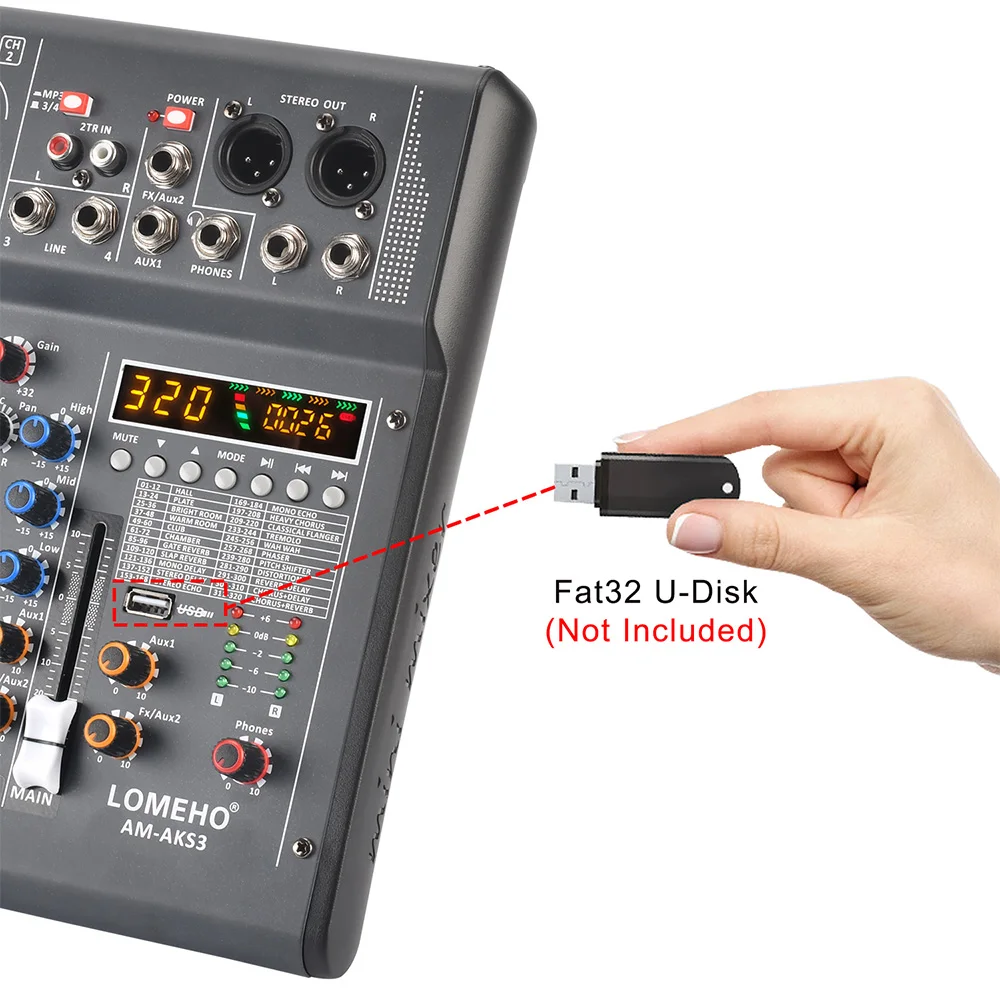
U-disk Record
(1) U-disk format: FAT32
A) USB port can't recognize NTFS U-disk
B) There is at least one song in the FAT32 U-disk
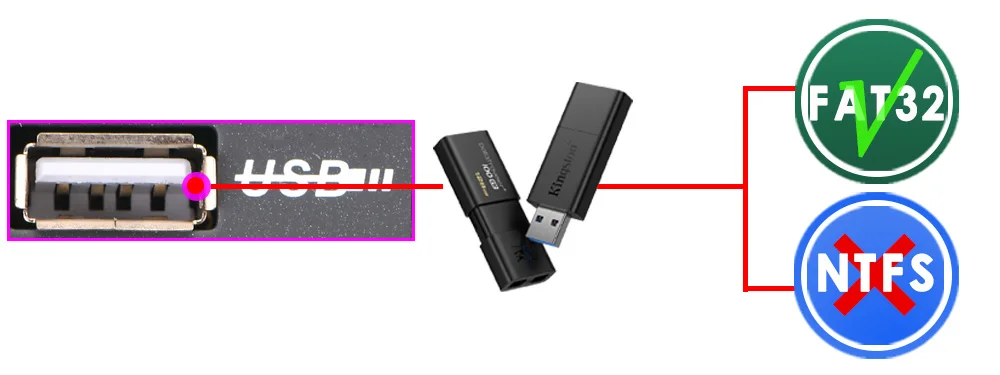
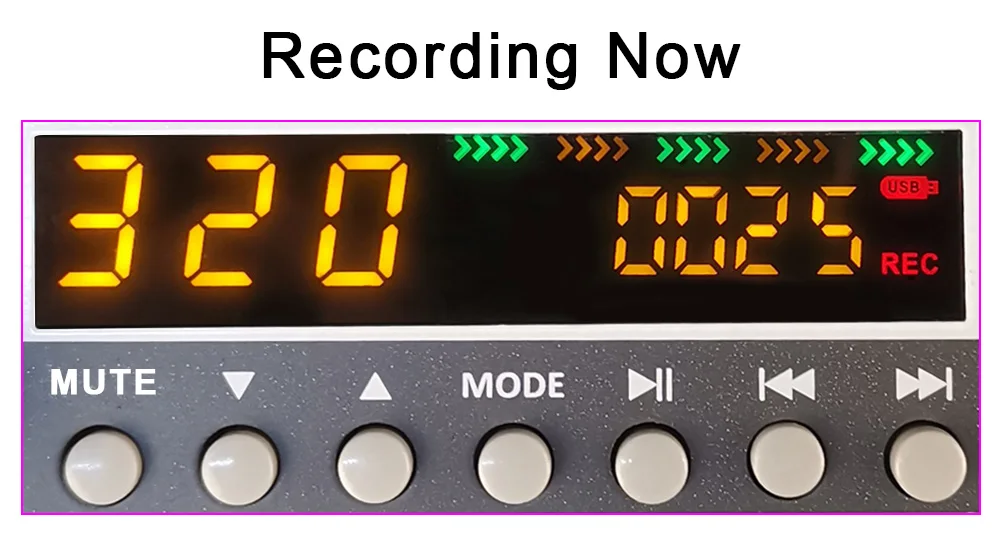
(2) U-disk record:
A) Insert a FAT32 U-disk, and there is at least one song in the U-disk
B) Record format: MP3
C) Record operation:
(a) Short press "MODE" button switch to REC model
(b) Short press "pause(continue)" button to start recording
(c) Short press "MODE" to exit the recording,and continue playing the music file before the recording.
(d) When recording, you can short press "pause (continue)" button to pause(continue)record.
D) Record volume adjust: Same as Bluetooth volume control
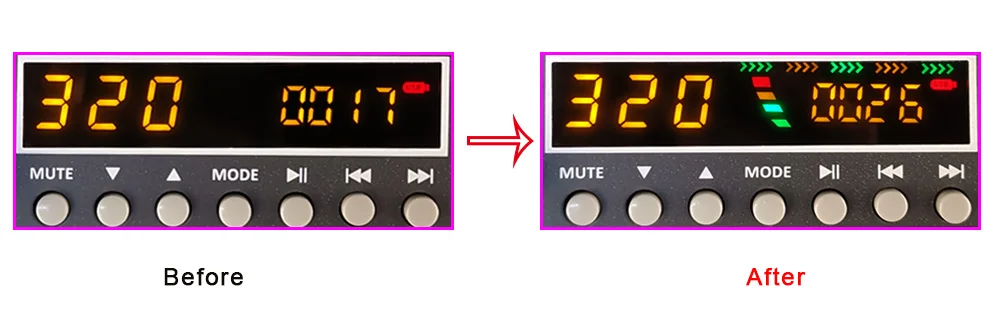
U-disk Play
(1) Play format: MP3, FLAC, WAV, WMA
(2) Insert U-disk into USB port, U-disk will play automatically
(3) Volume adjustment(same as Bluetooth volume control)
PC Play
Please note:
When connect the computer to record, there will be noise.
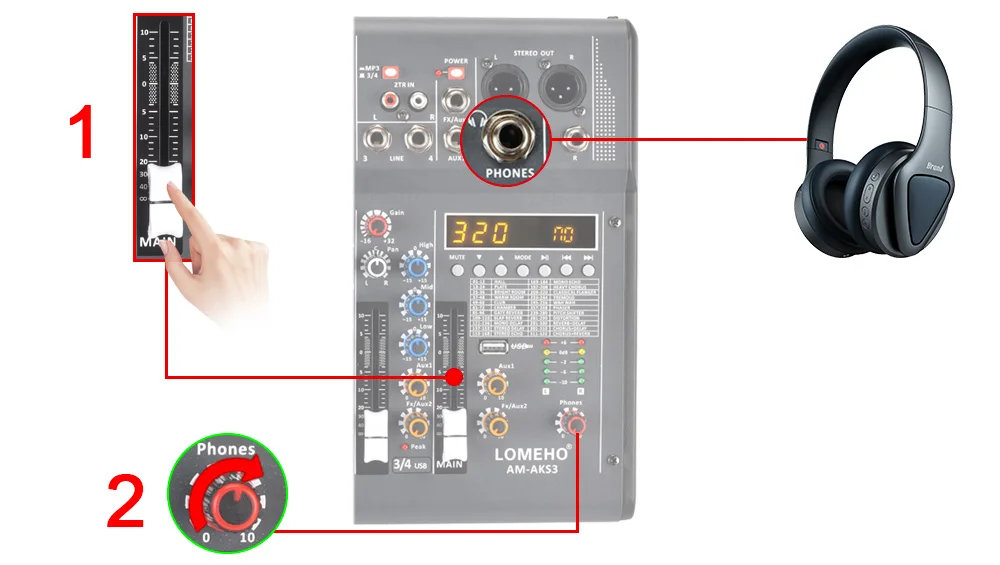
Headphone Volume Control
1) Push the MAIN output fader
2) Rotate the Phones knob
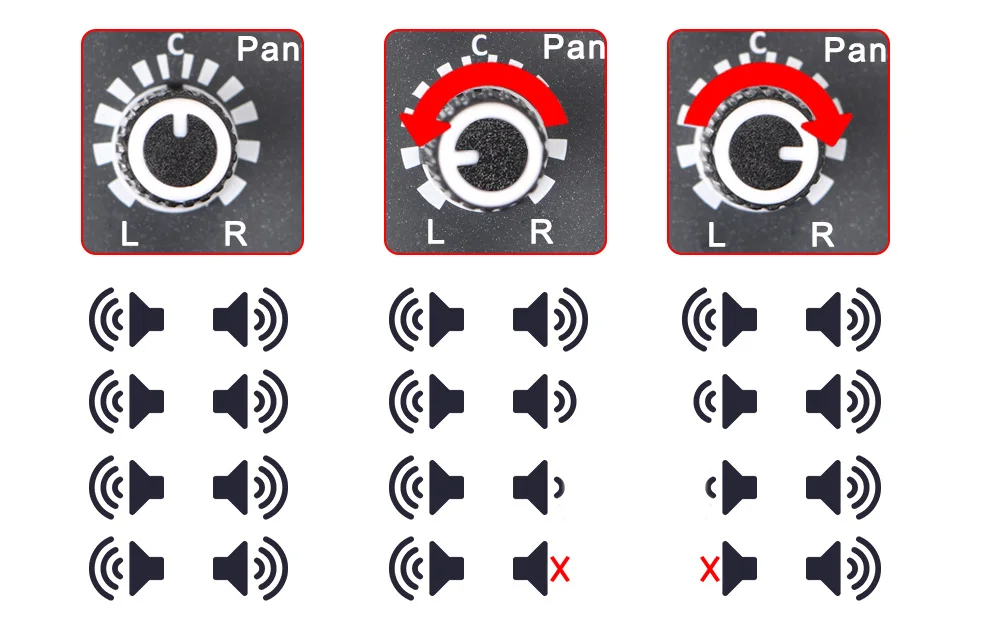
PAN Knob
The PAN knob only for recording, not for playback.
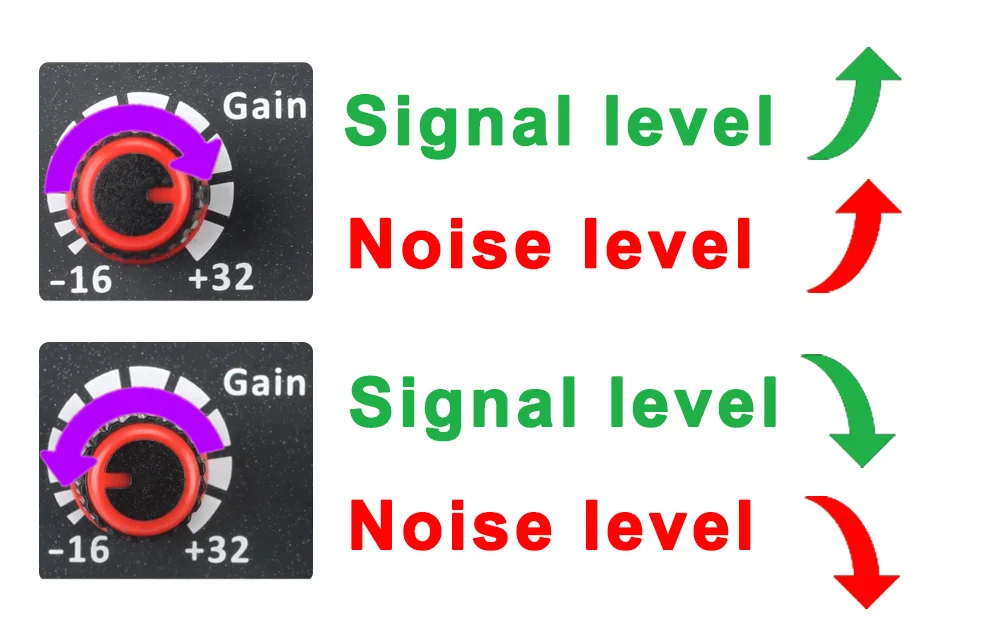
Gain Knob
Rotate the Gain knob, the signal level will increase,but the noise level will increase at the same time.
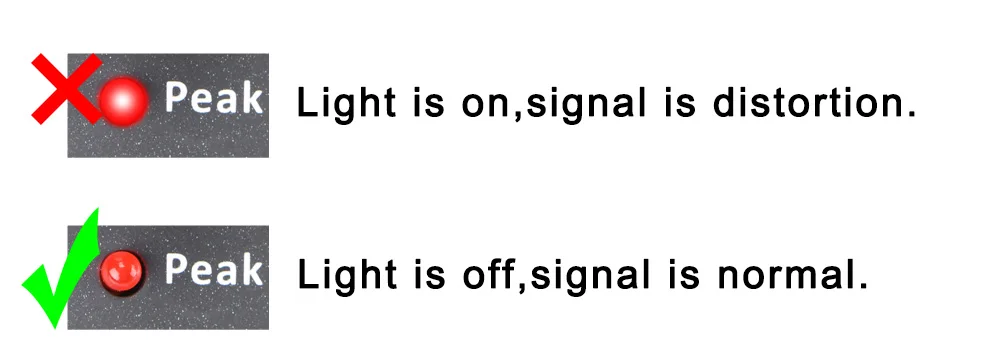
Applications
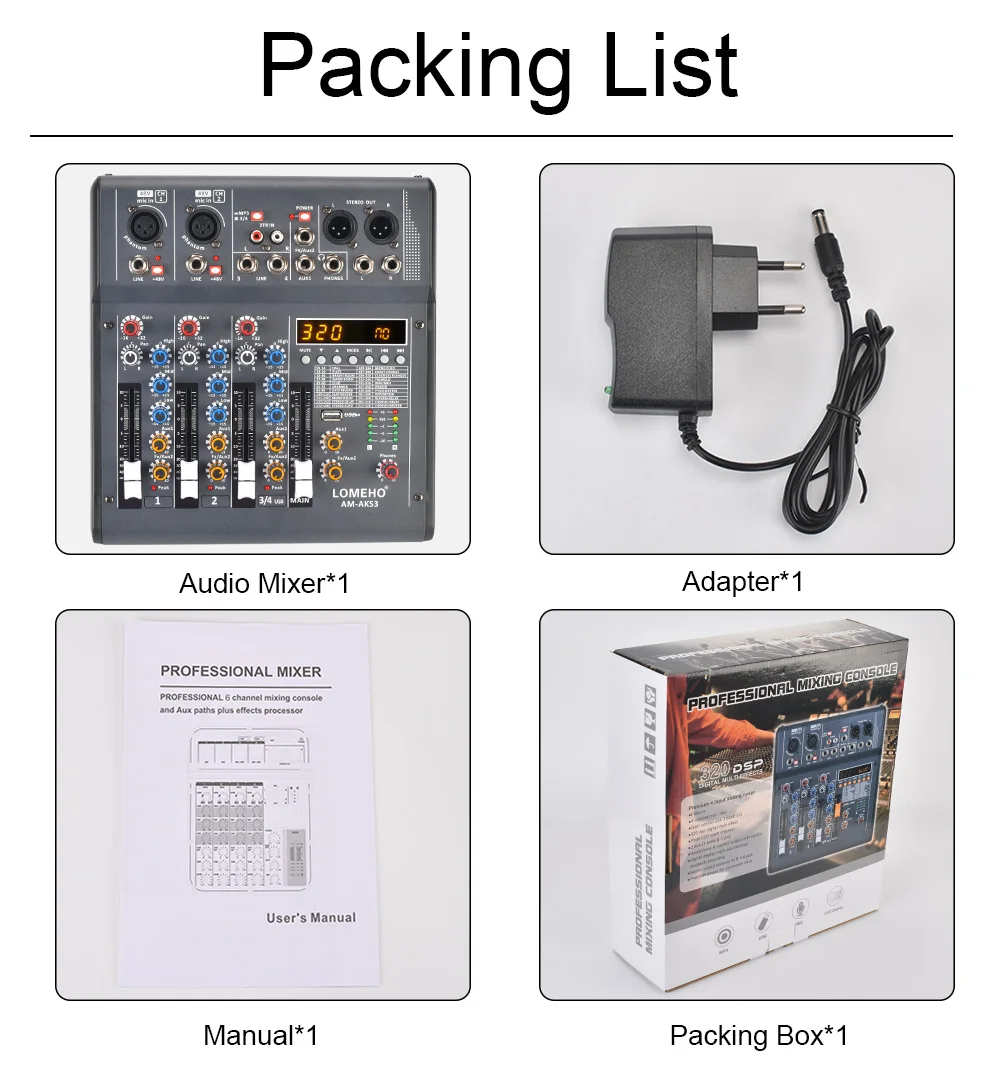
Packing List
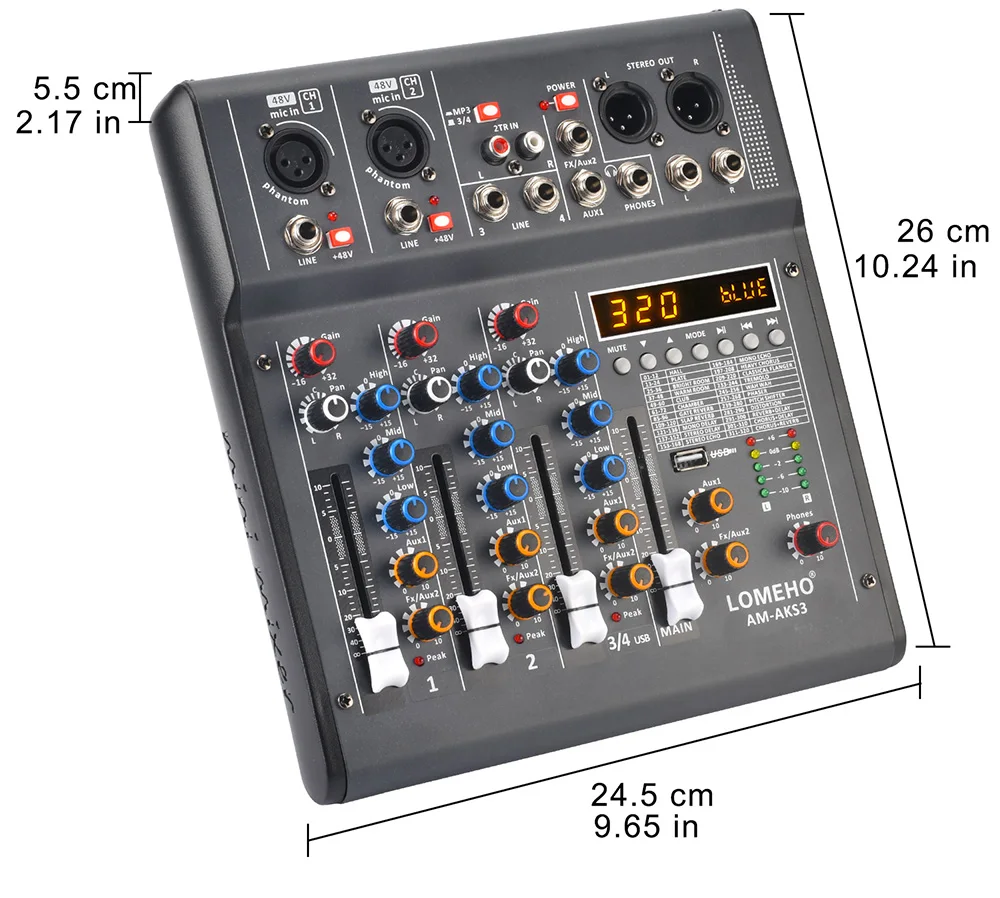
Product Size
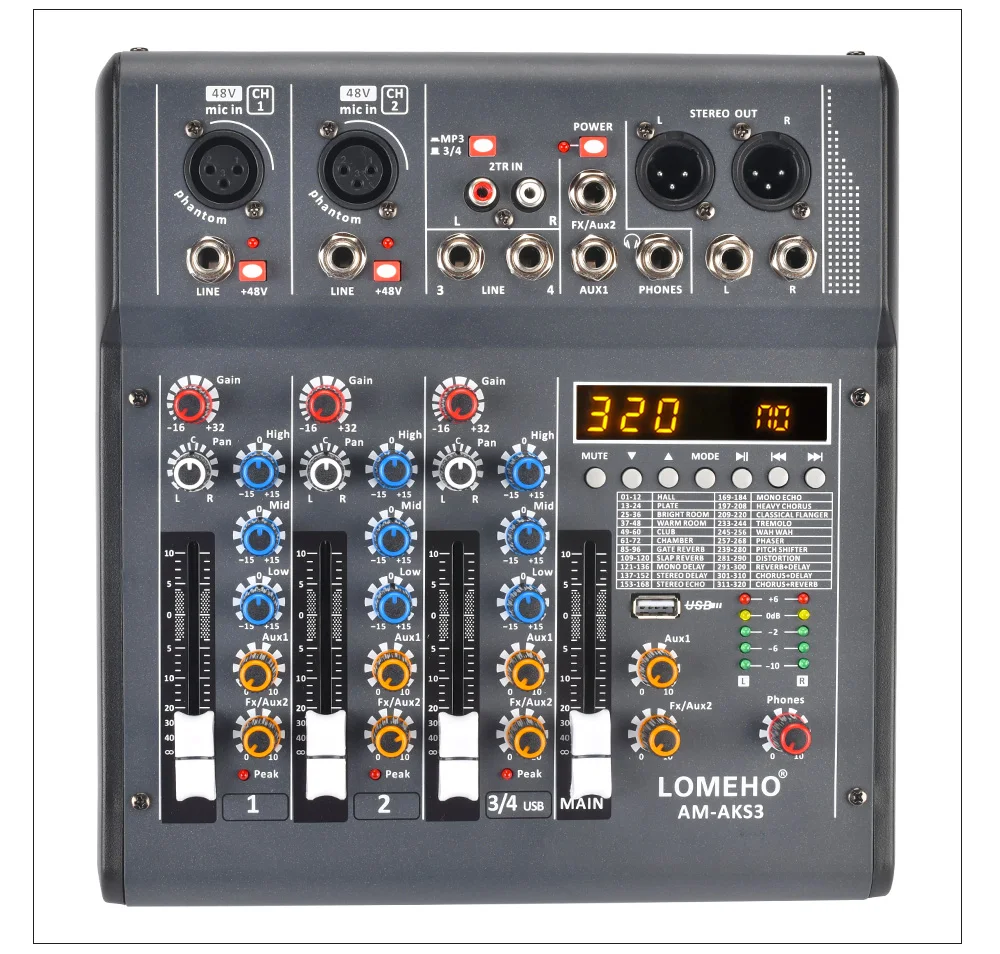
Product Details
Privacy & Security
Payment methods
Your payment information is processed securely. We do not store credit card details nor have access to your credit card information.
Security
